SchoolSphere turns school emails, newsletters, paper letters and WhatsApp messages into calendar events — automatically. Never miss a trip, forget the PE kit, or double-book a party again.

This is the part that feels like magic. Connect your inbox once and SchoolSphere reads every school email as it arrives — handing back the date, the kit list, the payment and the deadline, already organised for the right child.
From sports day to birthday parties, school trips to club schedules — SchoolSphere keeps your whole family's school life in sync.
Connect Gmail, Outlook or iCloud a single time and every school email syncs automatically from then on — as the school sends them. On other providers, forwarding does the same job.
Paste any school email, message or newsletter and the AI instantly pulls out the event, date, time and what to bring — ready in one tap.
Photograph any paper letter from the book bag. SchoolSphere reads it, extracts the dates and requirements, and files them for you.
Message your SchoolSphere number and it adds events to your calendar — invites, appointments, trips. It can answer questions about your school too.
Search your school and SchoolSphere imports its term dates, clubs and newsletters automatically. No setup, no waiting on the school.
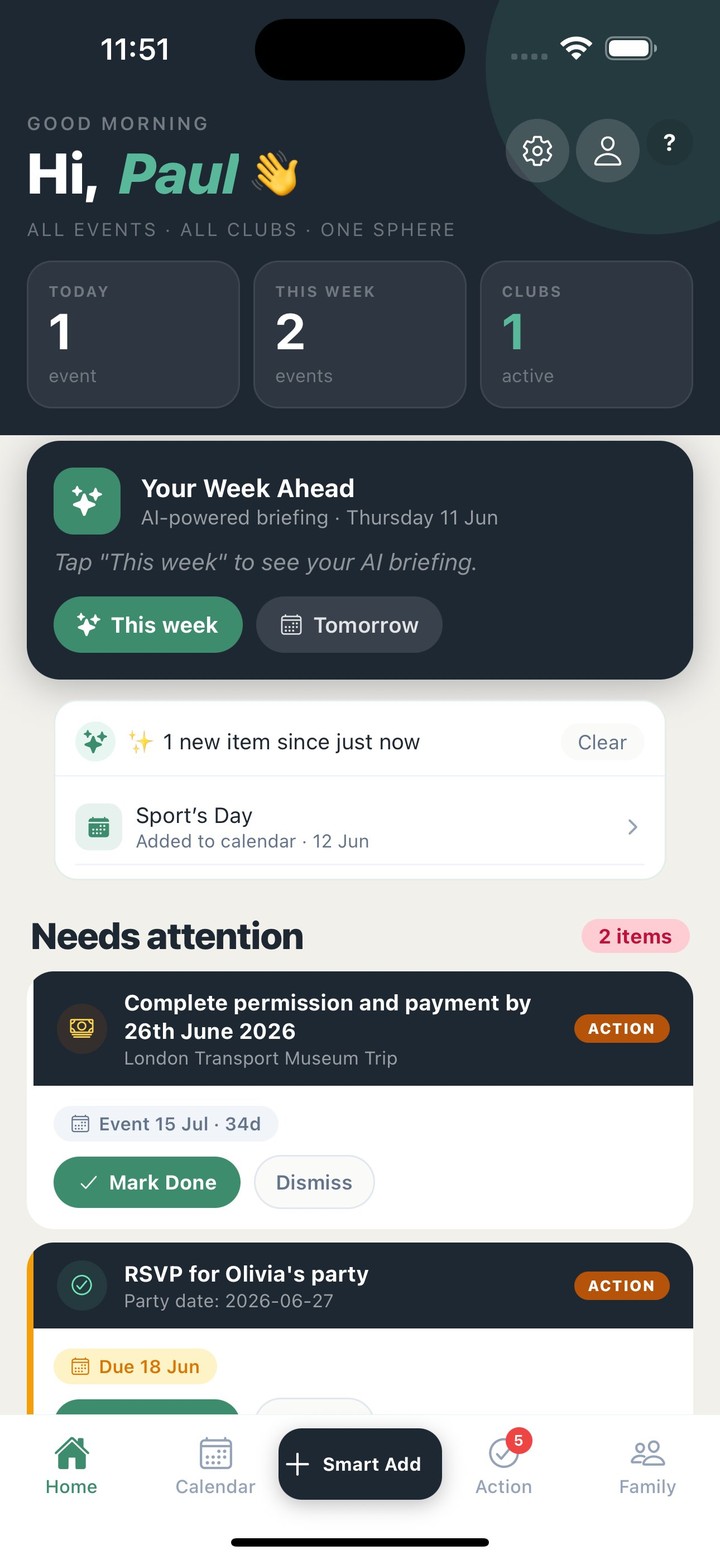
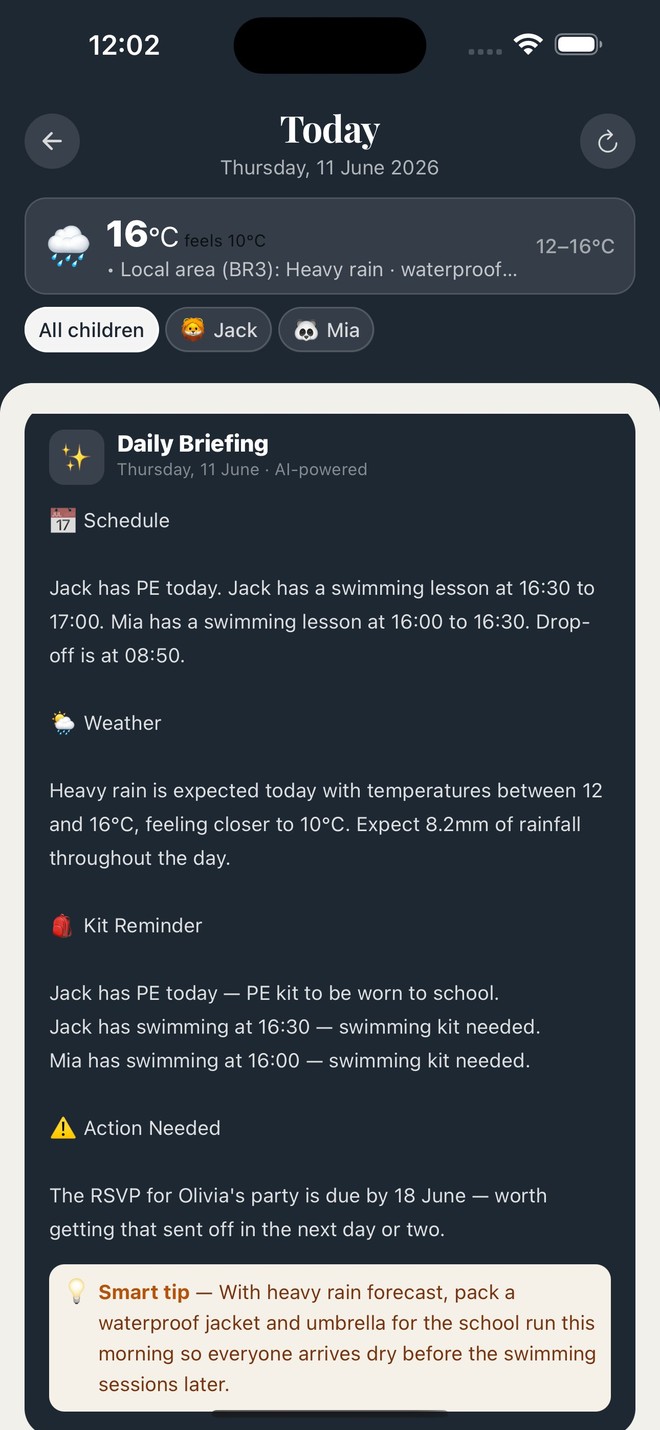
One tap gives you a plain-English summary of the week — what's on, who needs what, and the reminders that actually matter.
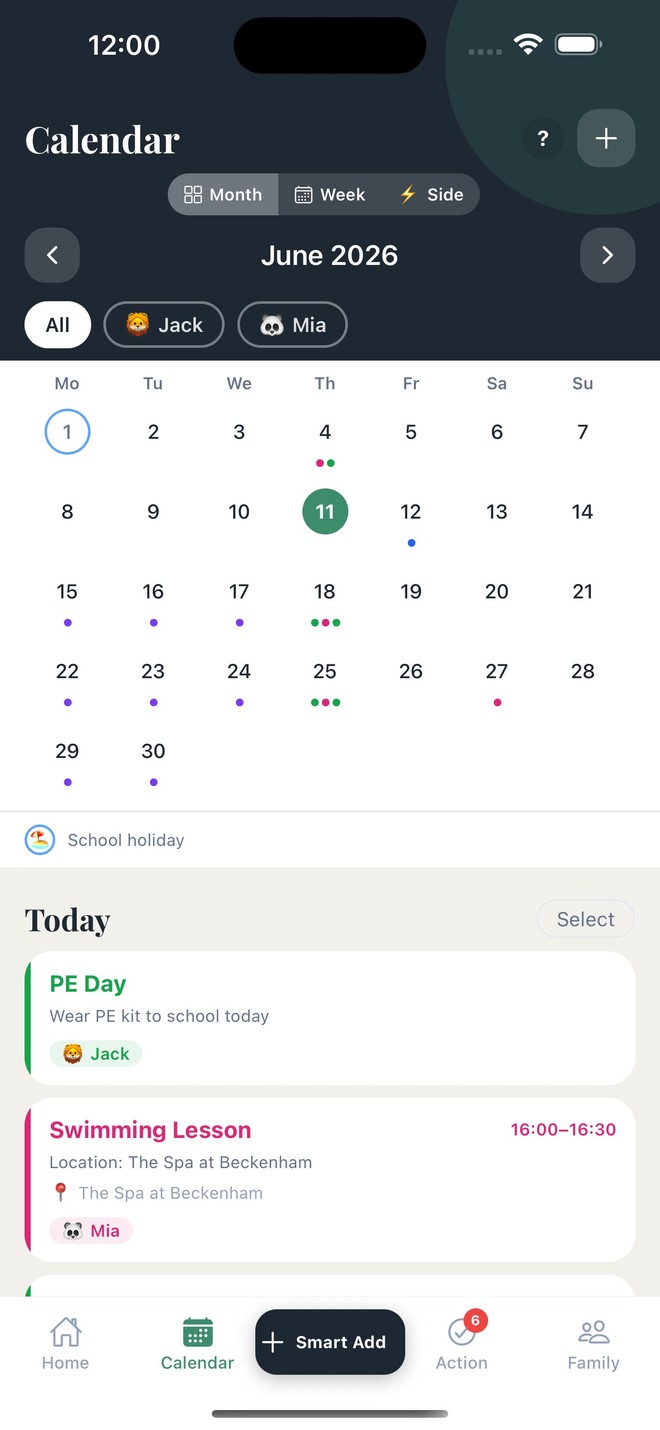
Every child, every club, every appointment — on one calendar, in the app's own colours.

Filter by child, see term dates and inset days, and tell events apart at a glance.

Schedule, weather, kit reminders and what needs action — your week summarised in plain English.
No manual typing. No copy-pasting dates. SchoolSphere does the work so you don't have to.
Connect Gmail or Outlook in one tap, or iCloud with an app-specific password. On Yahoo or another provider, set up forwarding instead — a one-time step.
Newsletters, trip letters and reminders arrive exactly as they do now — you don't change a thing.
It pulls out the date, time, requirements and which child the event is for — then deletes the email.
Events land in your calendar with reminders set, and you get a notification. Done.
Like a lot of parents, I was drowning in it.
The school sent things three different ways — an email here, a paper letter crumpled in the bottom of the book bag, the key date buried somewhere in the class WhatsApp chat — and somehow I was still the one who forgot the PE kit, missed the trip deadline, or double-booked a party.
I built SchoolSphere because I wanted one place that just knew. Connect your inbox once, snap a letter, and it sorts the rest — the right date, for the right child, with the reminder that actually matters.
It's early, and we're building it alongside parents like you. If something's missing or not quite right, tell me — I read everything.
Your emails are private. Our AI reads them only to extract dates, tasks and details — the AI provider keeps nothing and learns nothing from them. The text is saved with your account so events stay complete and can be re-checked, visible only to your household and never shared or used for anything else.
Our AI reads your emails only to extract the event details, and the AI provider doesn't keep them or learn from them. SchoolSphere saves the text with your account so events show full details and can be re-checked — visible only to your household, never shared.
Photos and PDFs you upload are processed and permanently deleted the moment extraction is complete. No copies are kept.
Operated under UK law. You can access, export and delete all your data at any time from within the app.
We never use your data for advertising or profiling, and we never sell it. The subscription is the business model.
Free during the beta, and free forever once we launch — the full calendar, your children, your family and your term dates. Premium opens the whole app: the AI that reads your school emails, the assistant, and the briefings that hand you the week.
No. If you connect Gmail or Outlook, SchoolSphere only reads emails from senders you've added to your trusted list. It never touches personal or unrelated emails.
Your emails are read only to extract dates and details — the AI provider keeps nothing. The text is saved to your household account so events stay complete, and it's never shared or used for anything else. Uploaded documents are deleted the moment processing is complete. We're UK GDPR compliant.
Gmail and Outlook connect directly via OAuth, and iCloud connects directly over IMAP with an app-specific password. Other providers — Yahoo, BT, Sky — work through email forwarding.
Yes. Family Sharing lets you invite a partner, grandparent or carer. You control whether they have full access or view-only.
Every extracted event is shown to you for review before it's added. You can edit any detail — date, time, title, requirements — before confirming.
Any school. SchoolSphere reads whatever you share with it — it isn't tied to a particular school system, so it works the same everywhere.
Be among the first to use SchoolSphere — join the iOS beta in two quick steps.